
- The Powerhouse Underlying It All: Nix
- Enter Devbox: Nix for Humans
- The Magic Glue: Direnv
- IDE Integration
- Conclusion
Development environments were, for a long time, not the most important assets in a software engineer’s toolbox. We started with virtual machines using tools like Vagrant. They provided some isolation, but they were also resource-heavy and slow to start. Docker then improved the tooling significantly by offering more lightweight, reproducible environments.
But Docker containers still had their disadvantages. Especially with complex projects, the Dockerfile can become very complex, and the resulting container requires a lot of memory to run. If you decide to run the tests inside the container, the filesystem bridge between the host and container often makes the local development feel sluggish.
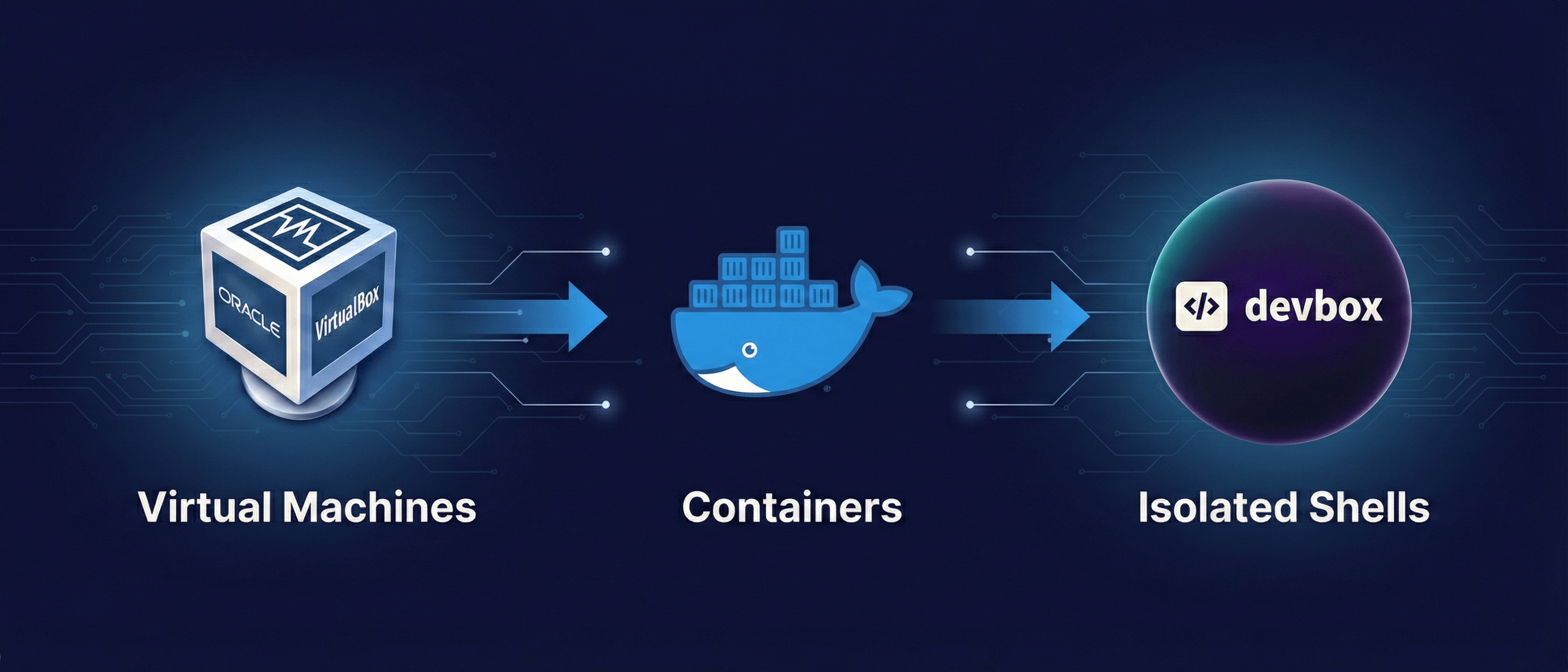
We need Docker’s reproducibility without the complexity and overhead of a virtualized kernel. The next step in this evolution is the isolated shells.
The Powerhouse Underlying It All: Nix
If you have not followed the DevOps space in the recent years, you might have missed the rise of Nix.
Under Nix, we understand at least 3 things confusingly: a functional programming language focused on reproducibility; a cross-platform software distribution system (Nixpkgs) written in Nix; and a Linux distribution (NixOS) that can be configured fully declaratively and is based on the Nix language and Nixpkgs.
What makes Nixpkgs unique is that, unlike other package managers, software packages are downloaded and stored in the Nix store (usually located at /nix/store) in unique subdirectories with immutable contents. The directory names are actually cryptographic hashes that capture all the package’s dependencies (for example, /nix/store/b6gvzjyb2pg0kjfwrjmg1vfhh54ad73z-firefox-33.1/).
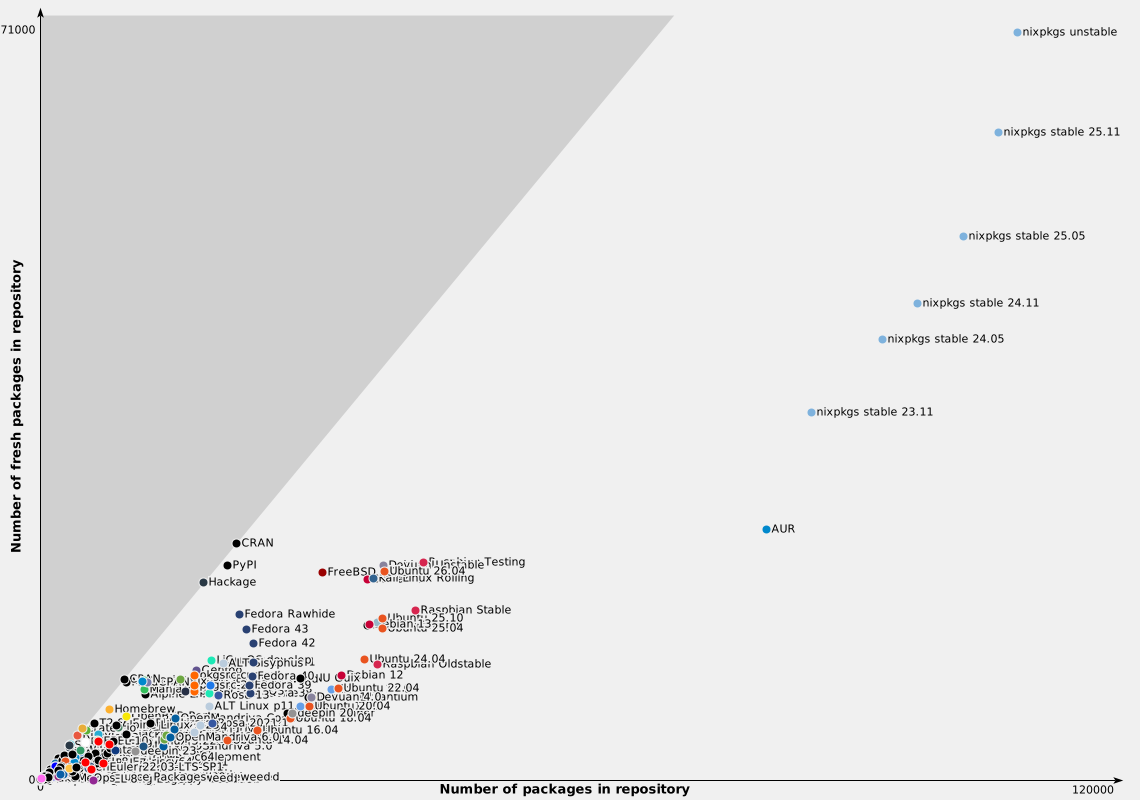
These characteristics result in many powerful features. One interesting feature is that different versions of the same package can coexist on the same system. This means you can have even Python 3.10 and Python 3.11 installed simultaneously in the same environment if you like. Since package management operations do not modify the immutable package contents, upgrades and uninstalls are atomic, and hence their execution cannot break other applications. Another interesting fact is that the Nix Packages repository is currently by far the largest and fastest-developing repository in the world, making all Linux distributions (even the famously large Arch User Repository) dwarfs.
However, Nix has a steep learning curve. To use Nixpkgs, you need its declarative language, which makes even daily tasks challenging.
This is where Devbox comes into the picture.
Enter Devbox: Nix for Humans
Devbox, created by Jetify, is a command-line tool that lets you create isolated shells based on Nix without needing to become an expert in the language. It acts as a wrapper around Nix’s powerful capabilities. Instead of writing complex Nix expressions, you can define your environment in a simple devbox.json file.
Why move to Devbox?
-
Bootstrap different projects with the same tool: Especially when you use diverse technologies across your projects, you do not need to use different language-specific version managers anymore (for example, nvm for NodeJS, pyenv for Python, rbenv for Ruby, and rustup for Rust). You can directly install all tools with Devbox, as these will all live in isolated environments.
-
Super fast onboarding: Onboarding new colleagues sometimes involves a painful process of reading the project’s README file and trying to execute the commands listed there. That is not a welcoming experience. With Devbox, the onboarding process will change to cloning the project and executing the Devbox shell. That’s it. The required tools, libraries, and runtimes are instantly downloaded and made available in an isolated shell for use.
-
Make tool changes and innovation easy: Do you need to upgrade the programming language you use to the latest version? With Docker, that means updating a Dockerfile and rebuilding a heavy image. With Devbox, it’s as simple as adding it to the JSON configuration and entering the shell.
The Magic Glue: Direnv
Devbox is great, but manually running the shell every time you enter a project directory introduces friction.
This is solved by Direnv. It is a shell extension that automatically loads and unloads environment variables depending on your current directory.
When you combine Devbox with Direnv, you simply need to change your working directory to your project folder, and Direnv automatically triggers Devbox to activate the environment. Your tools are available, and your environment variables are set. When you change to another directory, everything unloads, leaving your host system completely untouched.
IDE Integration
By default, your IDE will not find any libraries you need because they are now in the Nix store. The great terminal experience is wasted if your IDE can not find your tools. Because Devbox stores binaries in unconventional paths within the Nix store, your IDE needs to know where to look for them. Luckily, Direnv handles environment variable configuration for Devbox; we just need to teach our IDE to respect it.
- Visual Studio Code: Official Direnv extension
- JetBrains (PyCharm, IntelliJ, GoLand): Better Direnv plugin
Conclusion
As you can see, the next step in the evolution of development environments after Docker containers is here already. Through leveraging the power of Nix, the usability of Devbox, and the automation of Direnv, we can create development environments that are fast, lightweight, and perfectly reproducible.